Developers create a feature branch and delay merging it to the main trunk branch until the feature is complete.
Gitflow can be used for projects that have a scheduled release cycle
git flow initSimilar to git init, git flow is just a wrapper around Git.
Instead of branching off of main, feature branches use develop as their parent branch.
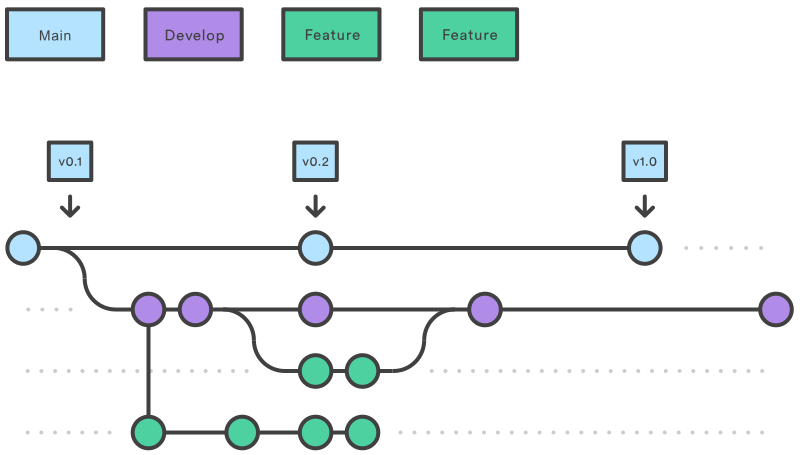
Creating a Feature Branch
Without the git-flow extensions:
git checkout develop
git checkout -b feature_branch
When using the git-flow extension:
git flow feature start feature_branchFinishing a Feature Branch
Without the git-flow extensions:
git checkout develop
git merge feature_branch
Using the git-flow extensions:
git flow feature finish feature_branchRelease Branches
Once develop has acquired enough features for a release (or a predetermined release date is approaching), you fork a release branch off of develop. Creating this branch starts the next release cycle, so no new features can be added after this point—only bug fixes, documentation generation, and other release-oriented tasks should go in this branch
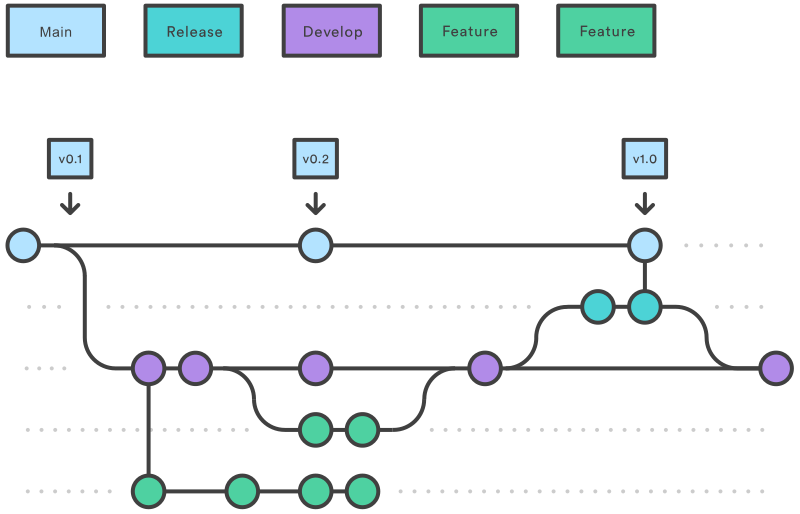
Once it’s ready to ship, the release branch gets merged into main and tagged with a version number. In addition, it should be merged back into develop, which may have progressed since the release was initiated.
Without the git-flow extensions:
git checkout develop
git checkout -b release/0.1.0
When using the git-flow extensions:
$ git flow release start 0.1.0
Switched to a new branch 'release/0.1.0'
To finish a release branch, use the following methods:
Without the git-flow extensions:
git checkout main
git merge release/0.1.0
Or with the git-flow extension:
git flow release finish '0.1.0'Without tag:
git flow release finish -n '0.1.0'Hot Fix
Maintenance or “hotfix” branches are used to quickly patch production releases. Hotfix branches are a lot like release branches and feature branches except they’re based on main instead of develop. This is the only branch that should fork directly off of main.
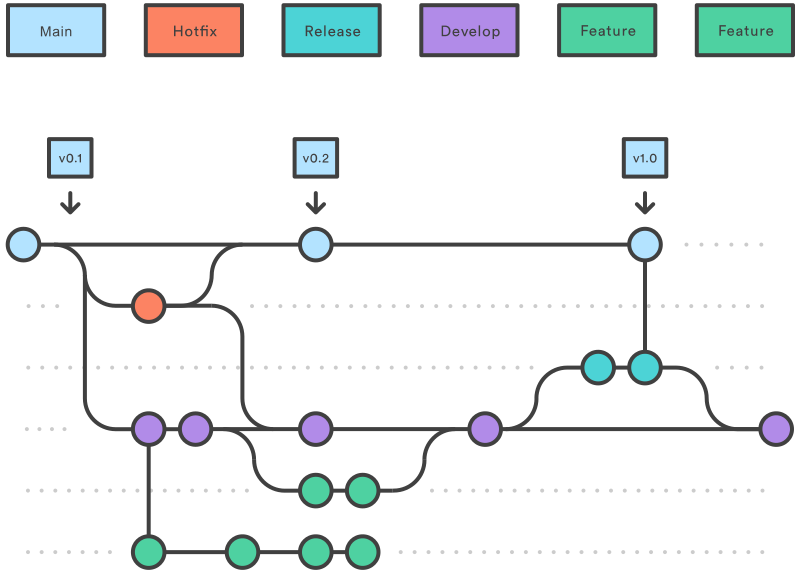
As soon as the fix is complete, it should be merged into both main and develop (or the current release branch)
Without the git-flow extensions:
git checkout main
git checkout -b hotfix_branch
When using the git-flow extensions:
$ git flow hotfix start hotfix_branchSimilar to finishing a release branch, a hotfix branch gets merged into both main and develop.
git checkout main
git merge hotfix_branch
git checkout develop
git merge hotfix_branch
git branch -D hotfix_branch
$ git flow hotfix finish hotfix_branchPull Request
But, the pull request is more than just a notification—it’s a dedicated forum for discussing the proposed feature.
It’s also possible to file a pull request for a feature that is incomplete. For example, if a developer is having trouble implementing a particular requirement, they can file a pull request containing their work-in-progress.
Gitflow Workflow With Pull Requests
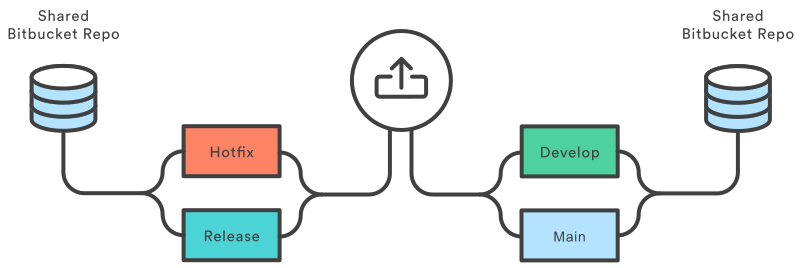
Forking Workflow With Pull Requests
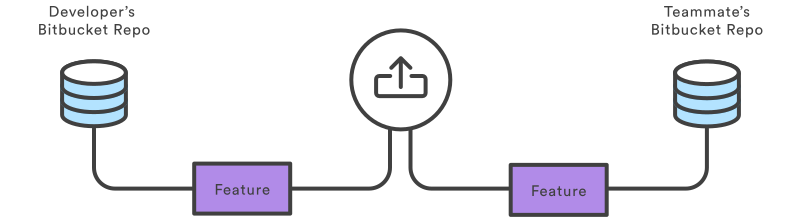
Pull requests can also be used to collaborate with other developers outside of the official project. For example, if a developer was working on a feature with a teammate, they could file a pull request using the teammate’s Bitbucket repository for the destination instead of the official project.
Follow-up Commit
To correct the error, we can add another commit to our feature branch and pushes it to our Bitbucket repository, just like we did the first time around. This commit is automatically added to the original pull request, and the reviewer can review the changes again, right next to his original comment.